Cart is empty










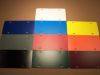
Die-Cut Color Chart * Print Color Chart
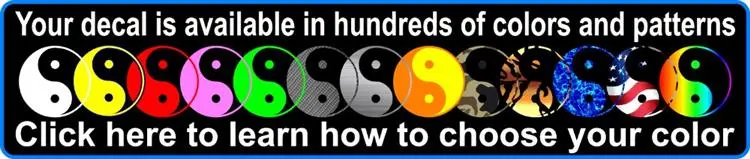
Most decals can be made in any color you want.
Vector file vs. Image file
Vector file vs. Image file
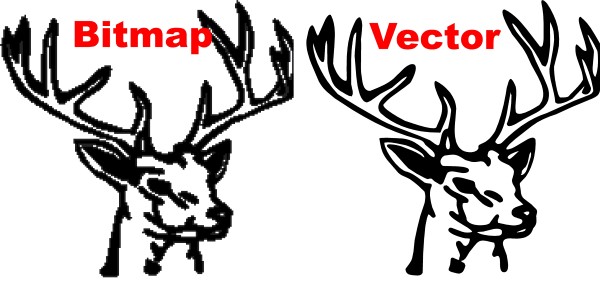
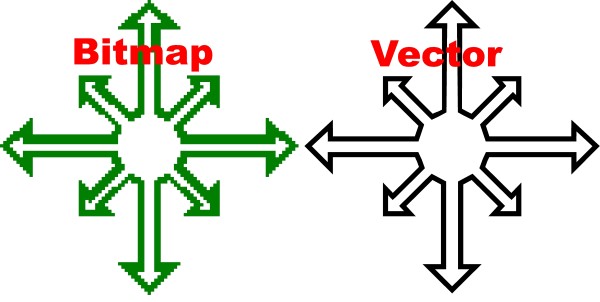
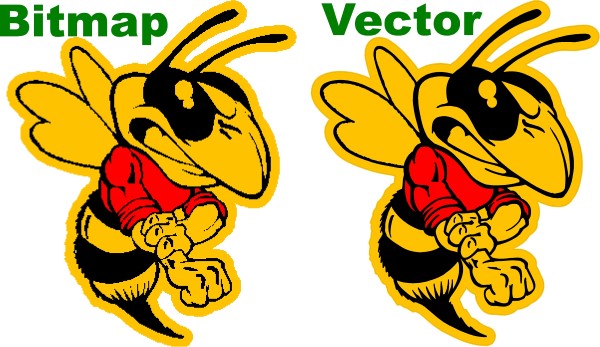
Below shows the difference between an image file (.jpeg, .bmp, .png, etc.) versus a vector file (.ai, .eps, .svg, .pdf, .cdr, etc.).
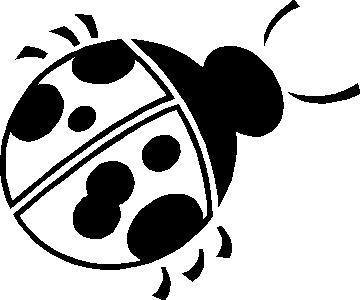 |
| This is the original full size image. The images below are zoomed in on the lower center part of the image. |
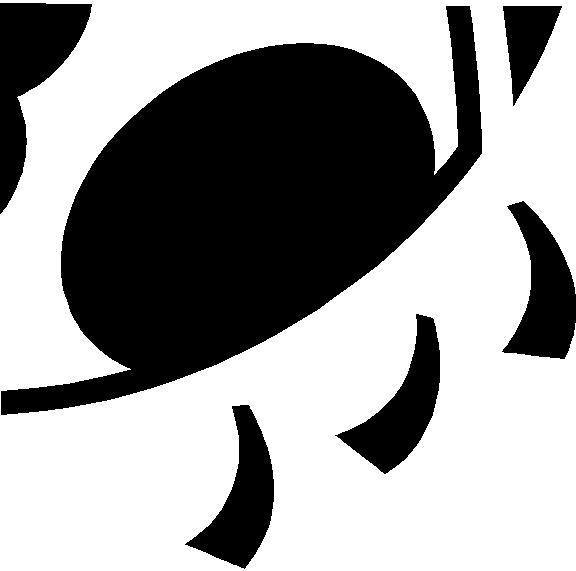 |
| This is a VECTOR file zoomed in close. As you can see the edges are smooth. The edge will stay smooth no matter how much you zoom in. Therefor, if you take a vector file and make it really large, it will still look perfect up close. |
 |
| The image above shows a jpeg of the same file. You can see that the edges are not near as smooth when zoomed in as with the vector file. Therefor when you take a jpeg (or any raster style image) and make it into a large decal, the edges won't be smooth when viewed up close. |
So what type of file should be used to make a decal?
It should be obvious that if you have a vector file available that is what should be used. Using a vector file also gives the software a "cut line" so the decal can be cut right up against that smooth line. Vector files normally allow us to easily make changes in which normally can't be done in an image based file. So with vector art we can easily make changes to the colors, change sizing or layout of the design or simply change lettering.
Image files can normally still be used too. There are going to be limitations to how large the image can be made and still look good. Some images can be converted into vector art (required if the decal is to be die-cut). There may be a set up charge involved depending on how complex the design is or how the quality is on the image.
Most decals on FastDecals.com are created from vector files but occasionally images are used when they are of good enough quality to be made into large decals.
----------------------------------------------------------------------------------------------------------------------
Here is a good way to test how large you can go converting an image into a decal.
- Put the image on your computer screen you want to use.
- Zoom in to what you feel is the size you want the decal to be.
- Step back away from the monitor at the distance you will normally be viewing the decal.
- If the image still looks good then it will look good as a decal. Remember that the decal will only look as good as the image you provide.
Vectorization can be done in Adobe Illustrator and several other programs or we can do it for you. Most vector files will be saved as .ai, .eps, .svg, cdr, or .pdf; though they won't always be vector files if saved with those extensions. Looking for a free vector program that you can edit vector files yourself? Try InkScape. Also Open Office can create vector files too using the "Draw" software.
More image to vector examples:
-
Our decals are made from commercial quality vinyl that will last several years in harsh outdoor conditions. See color chart and/or material chart (if a full color print) for outdoor life expectancy for your particular design.
-
They come with adhesive on the back of the decal. Note that we do also offer front adhesive decals.
-
All decals are CUSTOM MADE to your specifications of size and color/material.
-
Each design can be made in any size and are measured LEFT TO RIGHT. (*Except Stick Figure Decals). You choose the size in STEP 1 when ordering.
-
Our decals can be made in any color found on the color chart if you are chosing a color in Step 2. If this is a "full color" printed style decal (you are choosing a material, not color, in Step 2) then we may be able to still change the color but it would be a color from one of these color charts.
-
The white rectangle the design is shown on is not part of the decal. Most decals will not have a background; the majority of our decals are die-cut around the shape of the design unless otherwise noted or show. *Some FULLCOLOR decals will have white within the design. See the product information and the diagrams below for more information.
-
You may also choose to have a Shadow, Outline or Contour in an additional color for single color transfer decals.
-
Discounts are automatically added if you purchase more than one item. Items don't have to be the same to qualify for the discount.
-
Please see the FAQ page for answers to questions you may have.
-
Is the design shown above close to what you are wanting but not quite perfect? Use the "Ask a question" tab (above) to let us know what needs to be done to make it perfect for you. Or you can simply order and note in the comments box the change needed. We will make the change and email you before we ship if there are any questions.
-
Don't see what you want in our catalog? We specialize in Custom Decals and Custom Stickers so you can send us your idea and we will make it for you.
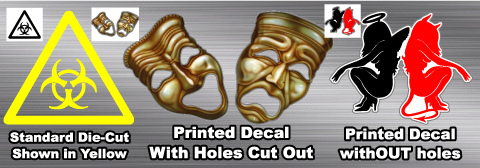
The image below shows 3 different decal styles. Use them to help visualize how your decal will look depending on what type of decal you are purchasing.
- The first one on the left is your standard die-cut transfer style decal. The image on the order form shows it in black (upper left hand corner of the image) but yellow was chosen for the color. As you can see the surface color shows through all the open areas within the design. See the order form image.
- The middle design is similar but is with a Full Color transfer decal. The design is printed but still has open areas within the eyes and mouth so those are cut out. You can see what parts will be cut out on a full color decal as there will be a thin gray line any place there is a cut. See the order form image.
- The final one on the right is a full color decal but there are no holes. The white edge wraps around the design giving it a white contour. Once again, the edge is represented by a thin gray line. See the order form image. *Note that we have updated this design on the website where the white part is cut out above the red girl's tail.
- If you have any questions please use the "Ask a Question" tab above find out more.
|
|